The guide
How Naughtii actually works.
The one thing to understand: Naughtii isn't a website you chat in. On your iPhone it's a double-tap on the back of the phone, inside any fan chat. You build your AI assistant here at naughtii.com - but you use it over there, right where your fans are messaging you. Every screen below is a real capture.
Read the transcript
Your fans want to hear from you. Every message, every night.
Naughtii drafts three replies in your voice. You pick one, and you send it.
First, tell it who you are. Your persona, your prices, your hard limits.
On your iPhone, open any fan chat, and double-tap the back of your phone.
Choose a goal: chat, flirt, sell, or say no. Tap a reply, paste it, and send.
On a computer, Naughtii for Chrome sits right beside your inbox. Three drafts, and one click puts your favourite in the reply box.
It never sends a word without you. It's your voice, your limits, your call.
Start your first month free, at naughtii.com. The AI assistant for independent OnlyFans creators.
Naughtii on iPhone
Three taps to set up, one gesture to use
Build your AI persona
Register at naughtii.com and spend five minutes telling Naughtii who you are online: your persona, tone of voice, hard boundaries, price menu and a few real messages written in your voice. This is the brain behind every reply, on every device - and you can edit it anytime from your Studio.
Add Naughtii to your iPhone
Open the Install tab in your Studio on your phone and tap Add to iPhone. The Shortcuts app opens (it's already on every iPhone - nothing from the App Store) and shows you Naughtii Reply. Tap Add Shortcut and come back.
Tap Connect - and meet the first iOS prompt
Back on naughtii.com, tap Connect. The shortcut links itself to your account; there's no password to paste. Just before it does, iOS asks whether Naughtii Reply can send text to www.naughtii.com - its standard check for any shortcut that uses the internet. The wording about “other websites” is Apple's boilerplate. Tap Always Allow.
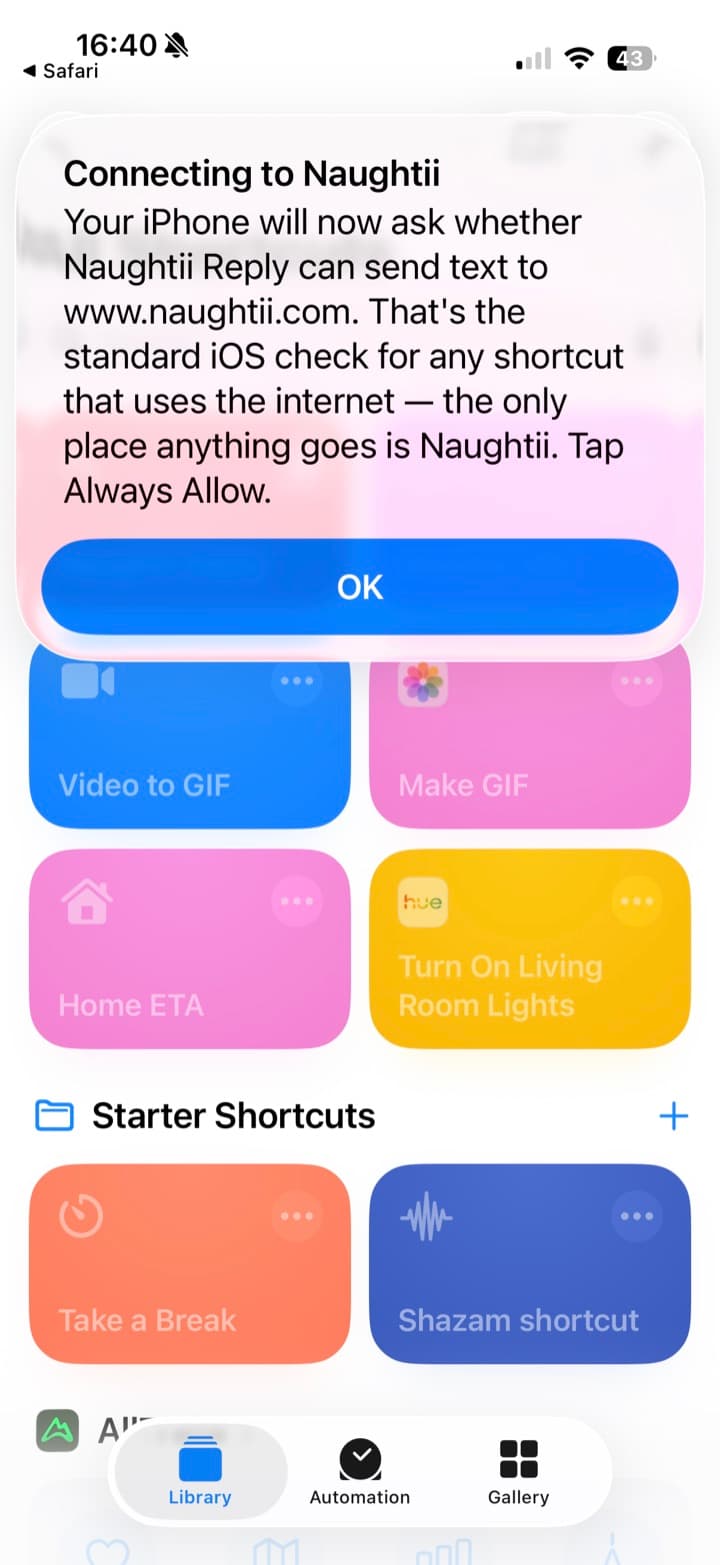
The shortcut warns you before iOS asks. Always Allow means it never asks again. Connected - now the step that matters
You'll see Connected ✓ with the three Back Tap taps written out, and a choice: set it up now, or later. Choose now. Back Tap is what turns the whole thing into one gesture, and it's the route that leaves nothing in your camera roll.
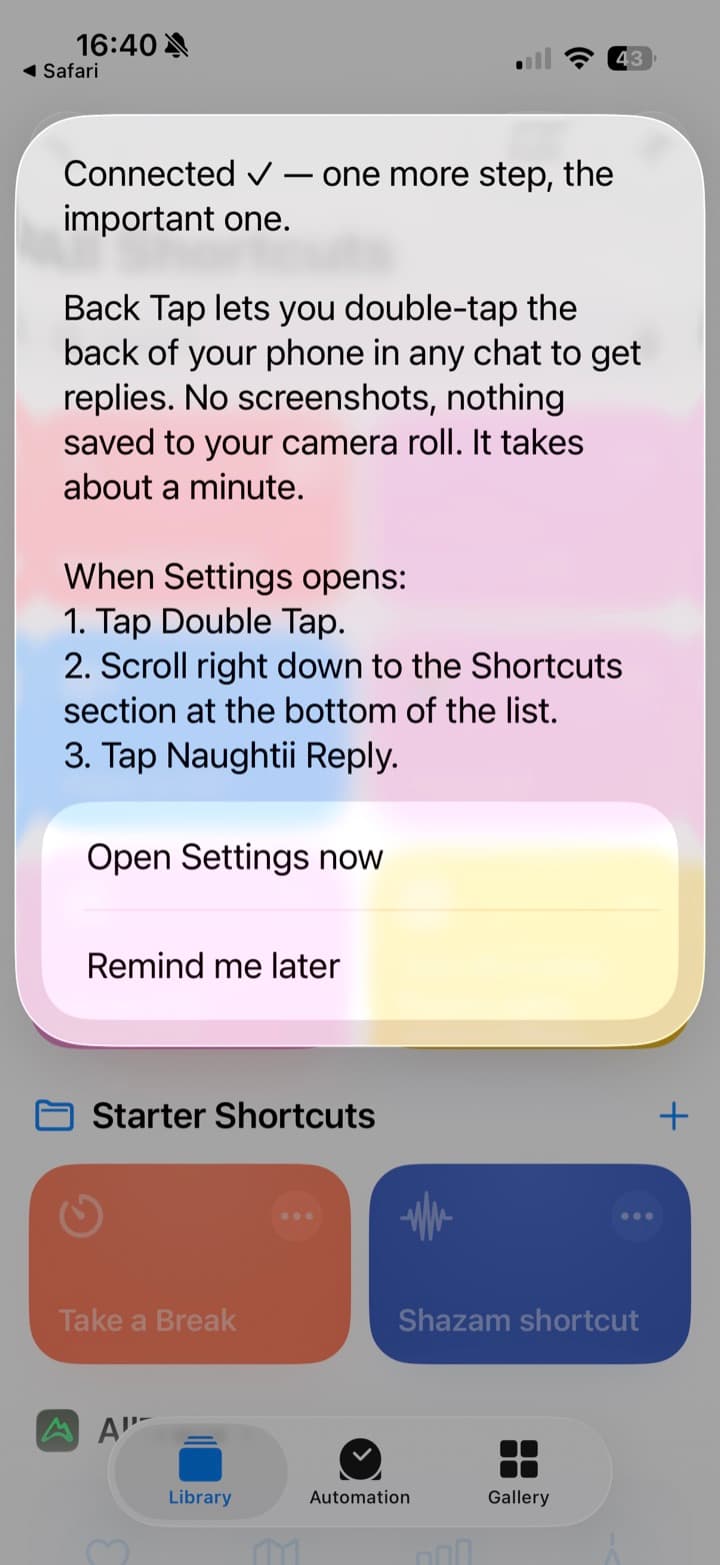 Tap this
Settings opens straight at Back Tap. Set up Back Tap: Double Tap → Shortcuts → Naughtii Reply
Settings opens on the Back Tap screen. Tap Double Tap, then scroll right down to the Shortcuts section at the bottom of the list - it's a long way down - and tap Naughtii Reply. That's the whole setup. (If Settings ever opens somewhere else, the path is Accessibility → Touch → Back Tap.)
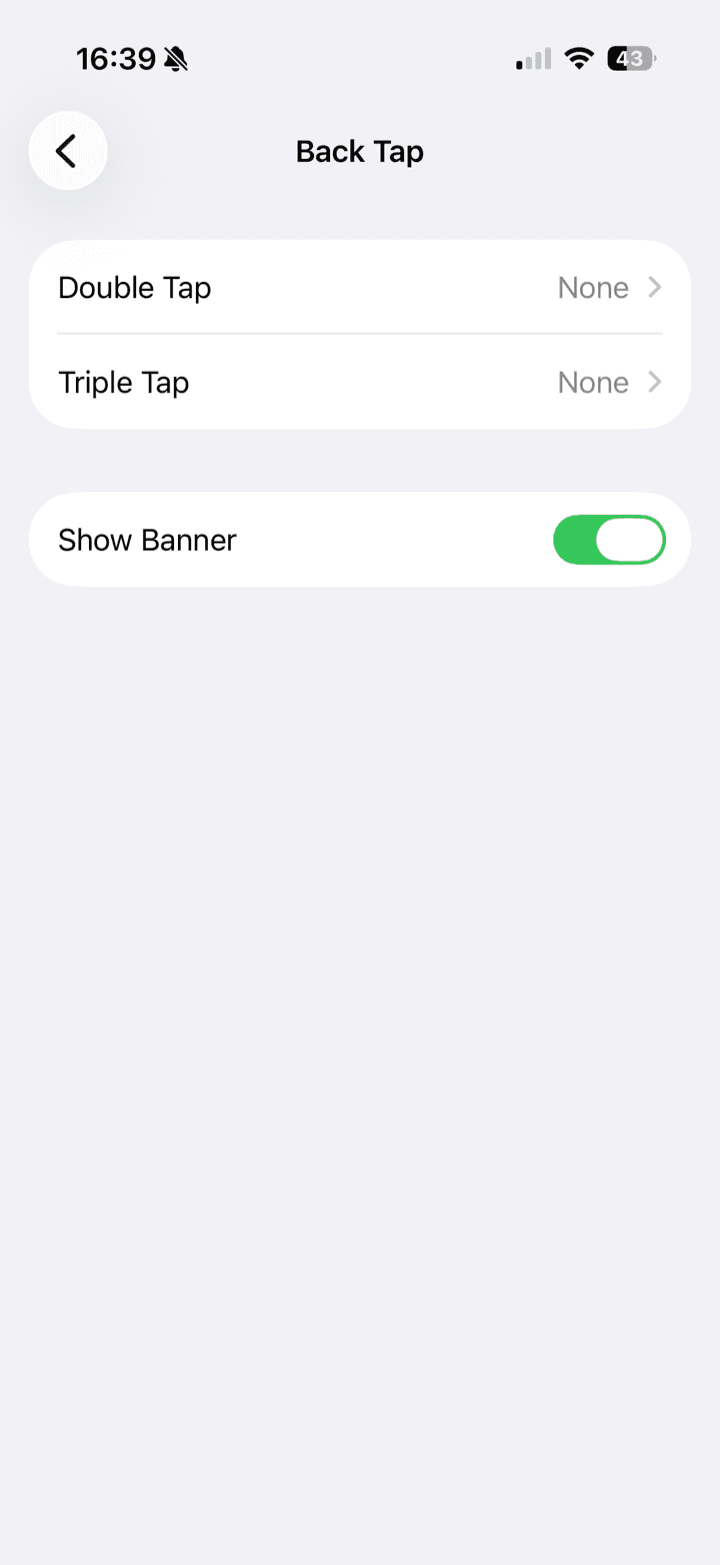 Tap
Tap1 · Tap Double Tap. 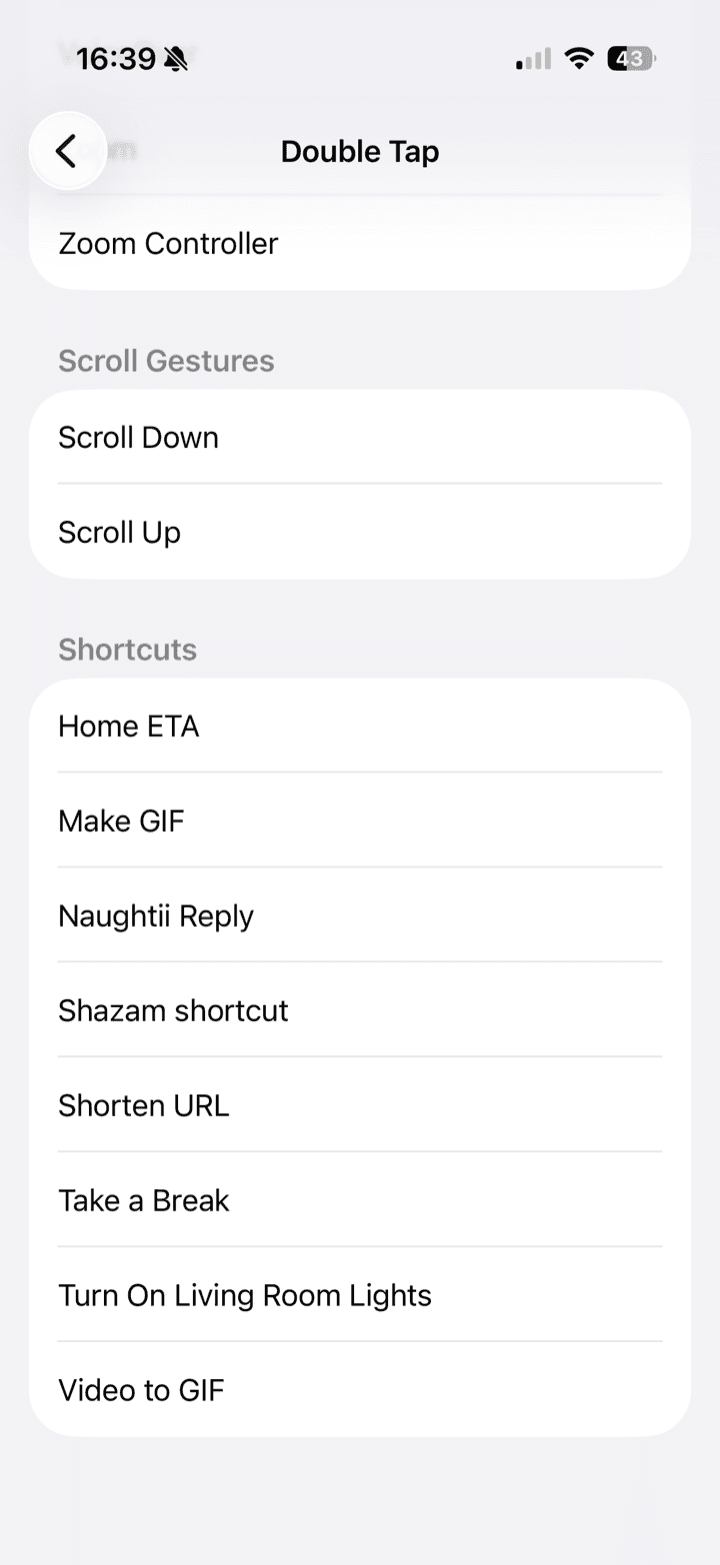 This one
2 · Scroll to Shortcuts, near the bottom. 3 · Tap Naughtii Reply. Double-tap in any chat, pick a goal
Open a fan's chat in OnlyFans and double-tap the back of your phone. Naughtii captures what's on screen and asks what the reply should do: Chat, Flirt, Sell or Say no. That choice is what stops a reply turning into a pitch when you didn't want one. The first time only, iOS asks once more - it lists the screenshot and your connection key, which is exactly what's sent. Always Allow, and it's done asking.
Type a message...
SEND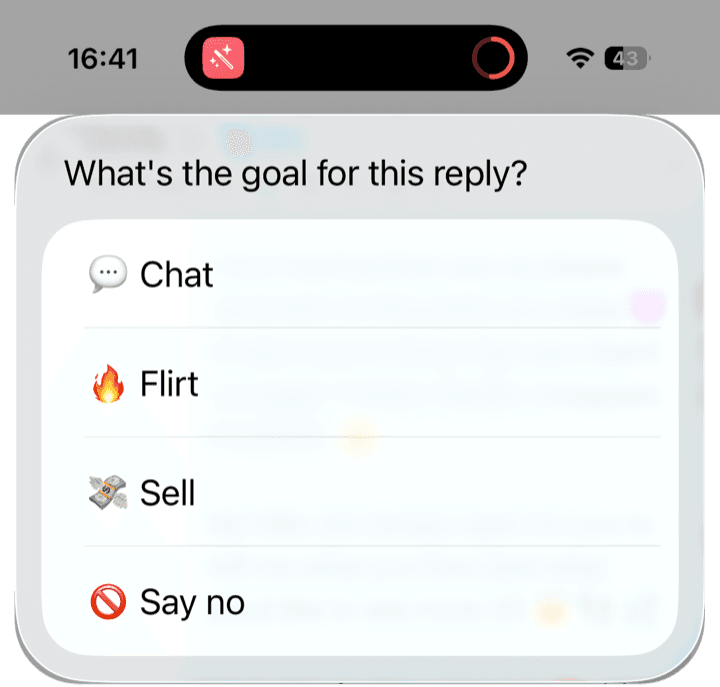
Chat, flirt, sell, or say no - every time. Tap a reply, paste, send - you're always the sender
Three replies in your voice appear in about three seconds. Tap the one you like - it's copied. Long-press the message box, paste, edit anything you want, and send. Naughtii never sends messages for you and never touches your account - every message your fans receive really came from you. And because Back Tap reads the screen directly, no screenshot is saved to your camera roll.
Type a message...
SEND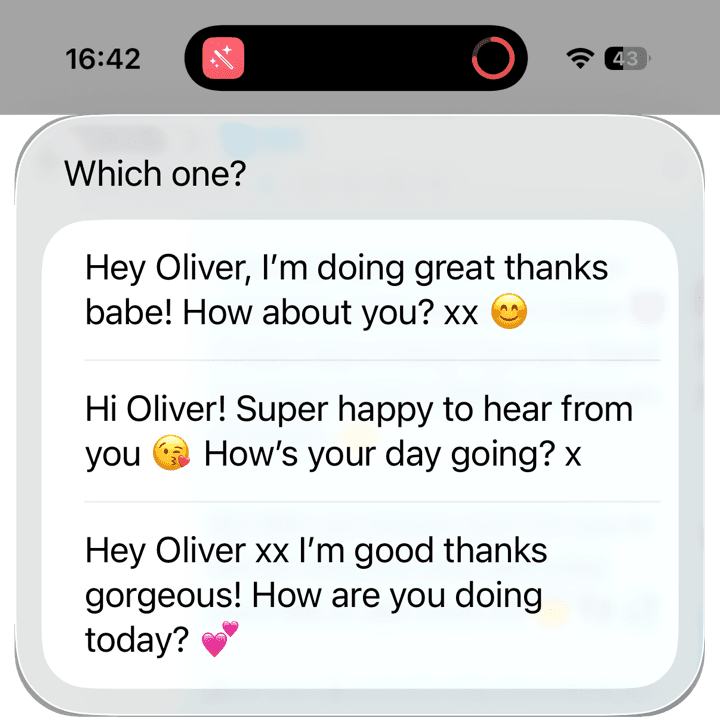
Tap one. It's on your clipboard.
On Android?
Naughtii on Android is coming soon. Until it lands, Naughtii for Chrome on your computer does the same job from the same profile - and you can leave your email to hear the day the Android version is ready.
Naughtii for Chrome
On your laptop, it pastes the reply for you
Same profile, same three replies, same goals and steer. The difference is reach: inside your desktop browser the extension can read the whole thread itself and insert the reply you pick straight into the message box.
Install the Chrome extension
On a computer, Naughtii is a Chrome extension that sits inside your OnlyFans inbox. Add it from your Studio in one click; because you're already signed in to Naughtii, it connects to your account automatically - same profile, same replies, same allowance as your phone.
Open a conversation on OnlyFans
In the same browser, go to your OnlyFans inbox and open any fan chat. A floating pink N button appears in the corner of the page - that button is Naughtii, sitting quietly until you need it.
Your OnlyFans inbox · any fan chat
hey you… did you see my message from last night? 👀just opened it 😏 give me a sec…← this is the whole trickClick the N, pick a goal, generate
Click the N and the assistant panel opens over your chat. Pick a reply goal - Chat, Flirt, Sell or Say no - and optionally add a steer, a quick note like “push the custom video offer”. The assistant reads the recent conversation and drafts three replies in your voice.
naughtii · DM Assistant142/1,000 today💬 Chat💸 Sell🔥 Flirt🚫 Say nopush the custom video offerSuggest 3 repliesmmm impatient tonight are we 😏 I could film something that's just for you… tell me what you're imaginingCopied ✓ - you tweak, you sendyou know I love it when you chase 😘 lucky for you, I take requests…Copy reply →Drafts only - you choose what to sendInsert, tweak, send
Click the reply you like and the extension drops it straight into the OnlyFans message box - the one thing a browser can do that a phone can't. Edit anything you want, and hit send. Same rule as everywhere: Naughtii never sends messages for you.
So what's the Studio for?
Your Studio on naughtii.com is the control room, not the assistant: it's where you edit your persona and price menu, set up your iPhone, watch your usage, and manage your plan. The DM Replier under Tools is a sandbox - paste any fan message to preview how your assistant sounds, no OnlyFans needed. Handy for tuning your persona, but it's not the product. The product is the double-tap in your chat.